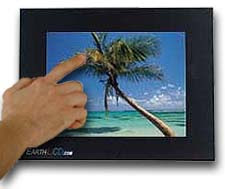
Thin Client LCD Interface - Stage 1
Recieved the TC-10 I ordered last week - and have started having a play.
Arrived well packaged with wireless keyboard - but absolutely no instructions or drivers.
Took me around 5 minutes to work out how to turn it on too - which wasn't a good start! (the switch is a board mounted micro pushbutton which isn't labelled either!)
Visited their site, and downloaded alll the drivers required. didn't have a large Compact Flash card so purchased one off ebay ($20 for a 1 GB - more than enough to install a basic o/s)
I previously purchased an IDE>Compact flash adaptor - so simply used that and plugged it into my normal pc - booted off a 98 floppy (thanks to: http://www.bootdisk.com) fdisk'ed & formatted the CF card, transferred system, and copied the win98 setup files onto it (I knew my old 98 cd would come in handy one day!) & the lan/video/sound/touch drivers from EarthLCD's site.
Next mission was to get the TC-10 to boot off it.
Plugged in the CF - and booted it up.. No luck - got the old non system disk error.
After I while I worked out that it had an on board 32mb "disk on chip" which I had to disable (was set to the primary) in the BIOS, and also had to enable Dos support, and selected win95 as the operating system (never seen that before in a bios!)
Did the trick - Booted straight away, so installed win 98 (damn it looks dated), the drivers, and all was good!
Next step was to get a terminal services client up and running - first I tried was from my old Windows 2000 server - but the client doesn't do full screen or auto logging on - so after a quick google I found the updated client built for XP http://www.microsoft.com/windowsxp/downloads/tools/rdclientdl.mspx which works well in 98 - and allows settings to be saved as RDP config files!.. So now automatic connections are working
Stage 1 complete:
Stage 2
Arrived well packaged with wireless keyboard - but absolutely no instructions or drivers.
Took me around 5 minutes to work out how to turn it on too - which wasn't a good start! (the switch is a board mounted micro pushbutton which isn't labelled either!)
Visited their site, and downloaded alll the drivers required. didn't have a large Compact Flash card so purchased one off ebay ($20 for a 1 GB - more than enough to install a basic o/s)
I previously purchased an IDE>Compact flash adaptor - so simply used that and plugged it into my normal pc - booted off a 98 floppy (thanks to: http://www.bootdisk.com) fdisk'ed & formatted the CF card, transferred system, and copied the win98 setup files onto it (I knew my old 98 cd would come in handy one day!) & the lan/video/sound/touch drivers from EarthLCD's site.
Next mission was to get the TC-10 to boot off it.
Plugged in the CF - and booted it up.. No luck - got the old non system disk error.
After I while I worked out that it had an on board 32mb "disk on chip" which I had to disable (was set to the primary) in the BIOS, and also had to enable Dos support, and selected win95 as the operating system (never seen that before in a bios!)
Did the trick - Booted straight away, so installed win 98 (damn it looks dated), the drivers, and all was good!
Next step was to get a terminal services client up and running - first I tried was from my old Windows 2000 server - but the client doesn't do full screen or auto logging on - so after a quick google I found the updated client built for XP http://www.microsoft.com/windowsxp/downloads/tools/rdclientdl.mspx which works well in 98 - and allows settings to be saved as RDP config files!.. So now automatic connections are working
Stage 1 complete:
- I have a working touch controlled thin client (for under $700!)
- Boots straight into a remote desktop session
- Connects directly to my MCE box (as a test).
Stage 2
- Clean up the Thin Client OS (remove components I don't need)
- Create a custom boot/shutdown graphics ( so it doesn't look like Win98)
- Create a nice desktop image (As it takes a couple of seconds between booting up and connecting rdp)
- Hide desktop icons/start bar (again - to lose the Win98 "Feel " :P)
Stage 3
- Build the touchscreen UI (this will one take a while :o) )
Will keep you posted - and maybe get some photos up soon.
Labels: interface, thin client
posted by Derrick at
1:03 pm
|
3 Comments